
Setting up a Bitcoin wallet before using a Bitcoin ATM is a straightforward process that requires downloading a mobile application, creating an account, and generating a public receiving address. This digital address acts as your destination for funds, ensuring your purchased Bitcoin is sent securely to your control. Preparing your wallet in advance saves time at the kiosk and prevents transaction errors.
Understanding the Role of a Digital Wallet
A Bitcoin wallet is a software application that allows users to store, send, and receive cryptocurrency. It does not hold the coins themselves but rather manages the private keys that authorize transactions on the blockchain. For Bitcoin ATM users, the wallet serves as the essential endpoint for cash-to-crypto conversions.
When you insert cash into a kiosk, the machine needs a specific destination to send the purchased Bitcoin. Without a valid wallet address, the transaction cannot be completed. Understanding this function helps you appreciate why wallet setup is the critical first step in the physical Bitcoin buying process.
Choosing the Right Wallet Application
Selecting a user-friendly application is vital for a smooth experience. Byte Federal offers two primary options for its customers: ByteWallet and ByteVault. ByteWallet is designed for speed and accessibility, making it ideal for beginners who want a simple interface. ByteVault is a non-custodial wallet that gives advanced users full control over their private keys.
Both applications are available for iOS and Android devices. You can download them from your device's official app store. Choosing the right tool depends on your comfort level with technology and your desire for self-custody. Beginners often start with ByteWallet for its simplicity, while those seeking sovereignty may prefer ByteVault.
Step-by-Step Wallet Creation Process
Creating your wallet involves a few simple steps that take only a few minutes. First, download the chosen application from the App Store or Google Play. Next, open the app and follow the on-screen prompts to create a new account. You will typically need to provide a phone number and set up a secure password or biometric login.
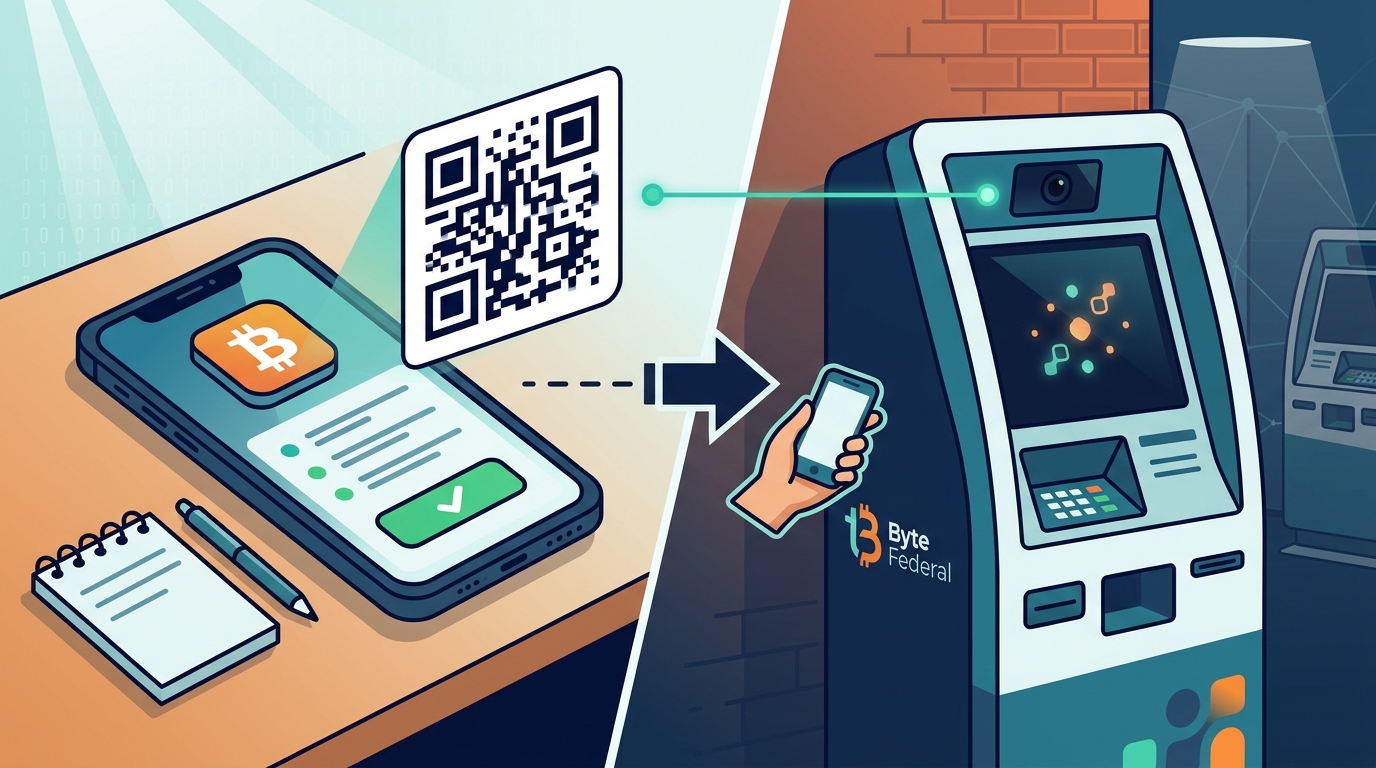
Once your account is active, navigate to the 'Receive' section of the app. This screen displays your unique public address, often represented as a QR code. This QR code is what you will scan at the Bitcoin ATM. Ensure the screen is bright and the code is clearly visible before you leave for the kiosk.
Preparing for Your First ATM Transaction
Before visiting a Bitcoin ATM, verify that your wallet is ready to receive funds. Open the 'Receive' screen and confirm that the QR code is active. It is also helpful to check the current Bitcoin price and the fees associated with the specific kiosk you plan to use. This preparation ensures you know exactly how much Bitcoin you will receive for your cash.
Byte Federal operates a network of over 1,350 locations across 42 U.S. states. You can use their locator tool to find a machine near you. By having your wallet ready, you can complete the identity verification and cash insertion steps quickly. This efficiency is particularly important during peak hours when kiosks may be busy.
Security Best Practices for New Users
Protecting your wallet is as important as setting it up. Never share your private keys or seed phrase with anyone. These credentials are the only way to access your funds if you lose your phone. Store them in a secure, offline location. Additionally, enable two-factor authentication if the app supports it to add an extra layer of security.
Be cautious of phishing attempts. Only download wallet applications from official app stores or verified sources. Scammers often create fake apps to steal user funds. By following these security practices, you ensure that your Bitcoin remains safe both during the purchase and in long-term storage.
Key Takeaways
- A Bitcoin wallet is a software tool that manages the keys needed to receive and spend cryptocurrency.
- Byte Federal provides both ByteWallet for simplicity and ByteVault for self-custody.
- You must generate a public receiving address or QR code before visiting the kiosk.
- Downloading the app and creating an account takes only a few minutes.
- Always verify your wallet address before scanning it at the machine.
- Protect your private keys and seed phrase to maintain control over your assets.
- Preparation at home ensures a faster and smoother transaction at the ATM.
Frequently Asked Questions
Do I need a bank account to use a Bitcoin ATM?
No, you do not need a bank account to buy Bitcoin at a kiosk. You only need cash, a mobile phone, a government-issued ID, and a digital wallet with a receiving address.
Can I use any Bitcoin wallet with a Bitcoin ATM?
Yes, most Bitcoin ATMs accept any standard Bitcoin wallet address. However, using a wallet from the same provider, such as ByteWallet or ByteVault, can sometimes streamline the login and verification process.
How long does it take to set up a wallet?
Setting up a wallet typically takes less than five minutes. You need to download the app, create an account, and generate your receiving address.
What happens if I lose my phone after buying Bitcoin?
If you have backed up your seed phrase or private keys, you can restore your wallet on a new device. Without a backup, you may lose access to your funds.
Are there fees for using a Bitcoin wallet?
Most mobile wallets are free to download and use. However, transaction fees may apply when you send Bitcoin to another address, though receiving funds is usually free.
Where can I find a Bitcoin ATM near me?
You can use the locator tool on the Byte Federal website to find the nearest of their 1,350+ locations across the United States.
Start Your Bitcoin Journey Today
Setting up your wallet is the first step toward financial independence with Bitcoin. By preparing your digital address in advance, you ensure a seamless experience at the kiosk. Byte Federal is committed to providing a secure and user-friendly environment for all its customers. To get started, visit the Bitcoin ATM page to find a location near you and download the necessary apps.