
How to Pre-Register Your Bitcoin ATM Account Online Before Your First Visit
Skipping the line at the kiosk is no longer a luxury; it is a necessity for efficient financial transactions. According to recent industry data, pre-registering your identity can reduce on-site verification time by up to 70 percent, allowing you to complete your Bitcoin purchase in under three minutes. This guide explains exactly how to use the Byte Federal online portal to prepare for your next visit.
Why Pre-Registration Matters
Bitcoin ATMs operate under strict financial regulations designed to prevent money laundering and fraud. These rules require operators to verify the identity of every user. Without pre-registration, you must complete this entire process while standing in front of the machine. This involves scanning your government ID, taking a selfie, and entering your phone number for SMS verification.
Pre-registration moves these steps to your home computer or mobile device. When you arrive at the Byte Federal location, you simply scan a QR code or enter your phone number to activate the transaction. This method is significantly faster and more secure. It also allows you to set daily limits and configure your wallet preferences in advance.
Furthermore, pre-registration helps you avoid technical glitches that often occur during peak hours. By ensuring your account is active and verified before you leave home, you eliminate the risk of being turned away due to system errors or incomplete data entry. This is particularly important for new users who may find the on-site interface intimidating or confusing.
Step-by-Step Pre-Registration Process
The pre-registration process is straightforward and designed to be completed in under ten minutes. Follow these steps to ensure your account is ready for immediate use.
1. Visit the Official Registration Portal
Navigate to the official Byte Federal registration page. It is critical to use the official domain to protect your personal information. Avoid third-party sites that may attempt to collect your data for phishing purposes. The official portal is secure and encrypted.
2. Create Your Account
Enter your email address and create a strong, unique password. You will receive a confirmation email. Click the link in that email to verify your identity. This step ensures that you are the sole owner of the account and prevents unauthorized access.
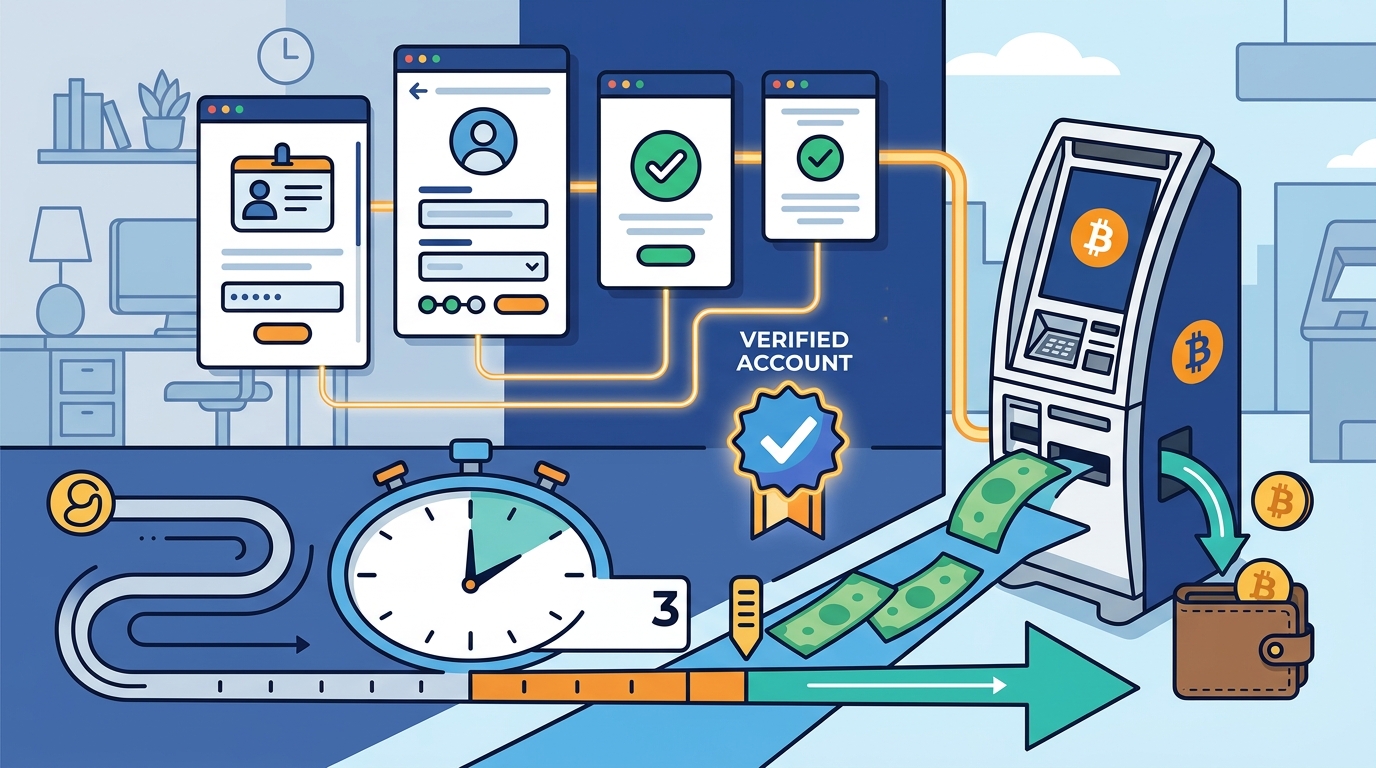
3. Complete Identity Verification (KYC)
Identity verification is the most important part of the process. You will need to upload a clear photo of your government-issued ID. This can be a driver's license, passport, or state ID. Ensure the image is well-lit and all text is legible. Next, you will be asked to take a live selfie. The system uses facial recognition technology to match your face to the ID photo.
This process is known as Know Your Customer (KYC). KYC is a regulatory framework that requires financial institutions to verify the identity of their clients. It is mandatory for all Bitcoin ATM transactions in the United States. The verification process typically takes only a few minutes to complete.
4. Add Your Wallet Information
After verification, you will be prompted to add your cryptocurrency wallet address. You can use a hardware wallet, a mobile app wallet, or a software wallet. Enter your public address carefully. Double-check the characters to avoid sending funds to the wrong destination. Once saved, this address will be available for quick selection during your ATM visit.
5. Set Your Transaction Limits
You can set daily and monthly transaction limits during registration. Higher limits may require additional verification steps. For most users, the standard limit is sufficient for initial purchases. You can adjust these limits later through your account dashboard if needed.
Documents You Will Need
To complete your pre-registration successfully, have the following items ready:
- Government-Issued ID: A valid driver's license or passport. The ID must not be expired.
- Smartphone: You need a smartphone to receive SMS verification codes and to take the required selfie.
- Stable Internet Connection: A reliable connection ensures the upload of your ID photos is successful.
- Cryptocurrency Wallet Address: Have your wallet app open to copy and paste your public address.
Without these items, you will not be able to complete the verification process. If you do not have a smartphone, you may need to use a public computer and a secondary phone for verification, or visit the ATM with a companion who can assist.
Security and Compliance Standards
Byte Federal adheres to strict security protocols to protect your data. All information is encrypted using industry-standard SSL/TLS encryption. Your personal data is stored on secure servers that are regularly audited for compliance.
Compliance with financial regulations is non-negotiable. Anti-Money Laundering (AML) is a set of laws and procedures designed to prevent criminals from disguising illegally obtained funds as legitimate income. By completing pre-registration, you are helping to maintain the integrity of the financial system. This ensures that Bitcoin ATMs remain legal and accessible to the public.
Additionally, Byte Federal uses advanced fraud detection systems to monitor for suspicious activity. If your account shows unusual patterns, you may be asked to provide additional documentation. This is a standard practice across the industry and helps protect all users from fraud.
Common Issues and Solutions
Even with a smooth process, you may encounter minor issues. Here are common problems and how to resolve them.
Verification Failed
If your verification fails, it is usually due to poor image quality. Ensure your ID is not reflective and that all corners are visible. Retake the photo in better lighting. If the issue persists, contact customer support for assistance.
SMS Code Not Received
If you do not receive the SMS code, check your phone's spam folder. Ensure your phone number is entered correctly. If the problem continues, wait a few minutes and request a new code. Do not request multiple codes in quick succession, as this may trigger a security lock.
Wallet Address Errors
If you enter the wrong wallet address, you may lose your funds. Always double-check the address before saving. If you make a mistake, correct it immediately in your account settings before visiting the ATM.
Key Takeaways
- Pre-registration reduces on-site transaction time by up to 70 percent.
- You must complete KYC verification using a government ID and selfie.
- Byte Federal serves over 42 states with a network of highly rated ATMs.
- Always use the official registration portal to protect your data.
- Have your smartphone and ID ready before starting the process.
- AML compliance is mandatory for all Bitcoin ATM users in the US.
- Customer support is available to help with verification issues.
Frequently Asked Questions
How long does pre-registration take?
The entire process typically takes between five and ten minutes, depending on your internet speed and document preparation.
Can I use a passport for verification?
Yes, Byte Federal accepts valid passports, driver's licenses, and state IDs for identity verification.
Do I need to visit the ATM immediately after registering?
No, your account remains active indefinitely. You can register at your convenience and visit the ATM whenever you wish.
Is my personal information safe?
Yes, Byte Federal uses bank-level encryption and complies with all federal data protection regulations to keep your information secure.
What happens if my verification is rejected?
If rejected, you will receive an email explaining the reason. You can then correct the issue and resubmit your documents.
Can I change my wallet address after registration?
Yes, you can update your wallet address at any time through your account dashboard before visiting the ATM.
Are there fees for pre-registration?
No, pre-registration is free. You only pay transaction fees when you actually buy or sell cryptocurrency at the ATM.
Start Your Journey
Do not waste time standing in line. Pre-register your account today and experience the fastest, most secure way to buy Bitcoin. Visit the Byte Federal registration page to get started. You can also find a nearby ATM to begin your financial freedom journey immediately.